



Manage VPN Account
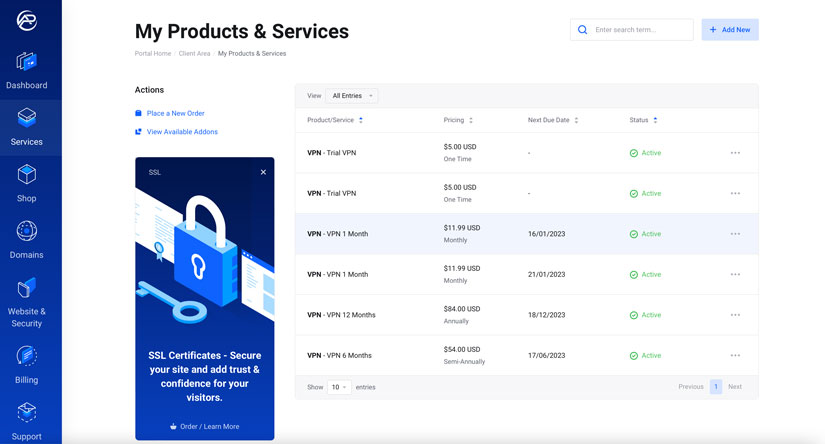
1. From the My Product & Services menu on the Left of the control panel, Click VPN.
2. In Product Details, you can find your subscription details in the User Info section.
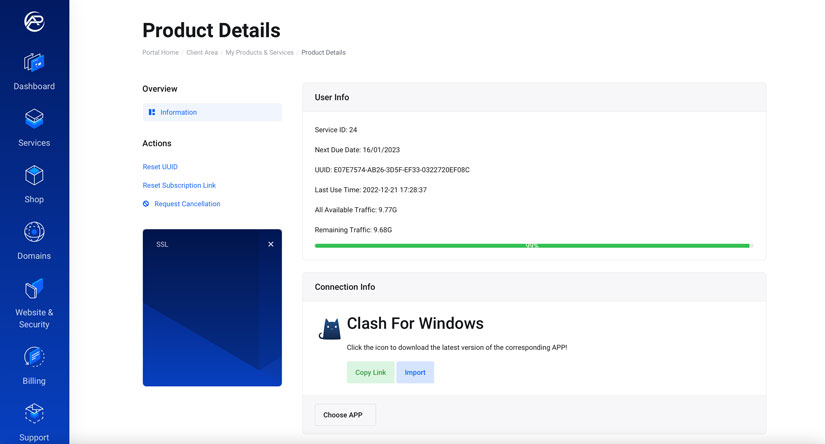
3. From the Connection Info section, Click Choose APP button to select the APP, and by clicking, on APP Icon you can install APP.
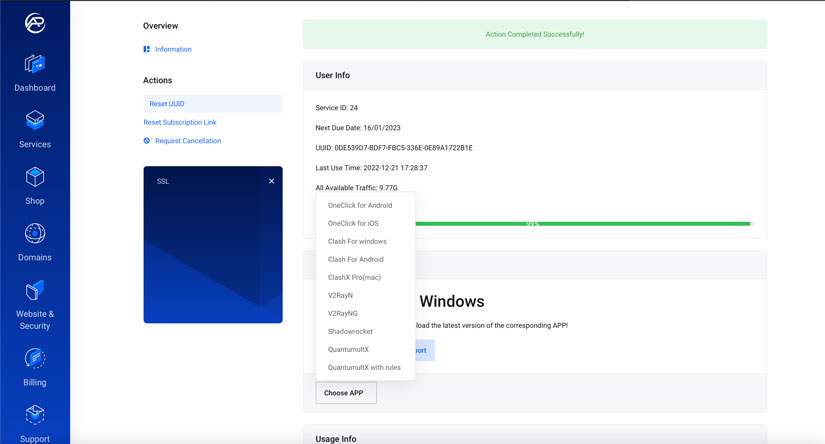
The ArcHost VPN is Compatible with iOS, Android, Windows & mac OS.
iOS
- OneClick (read article)
- QuantumultX (in Purchase)
- Shadowrocket (in Purchase)
mac OS
- ClashX Pro
Android
- OneClick
- Clash
- V2rayNG
Windows
- Clash
- V2RayN
4. From the Actions, you can Manage the UUID and Subscription.
- Reset UUID
- Reset Subscription link
- Request Cancellation
From here, you can follow our detailed guide on APP Installation.