



Before starting make sure to read the articles VPN Quickstart and Setup VPN.
How to install V2RayNG for Android.
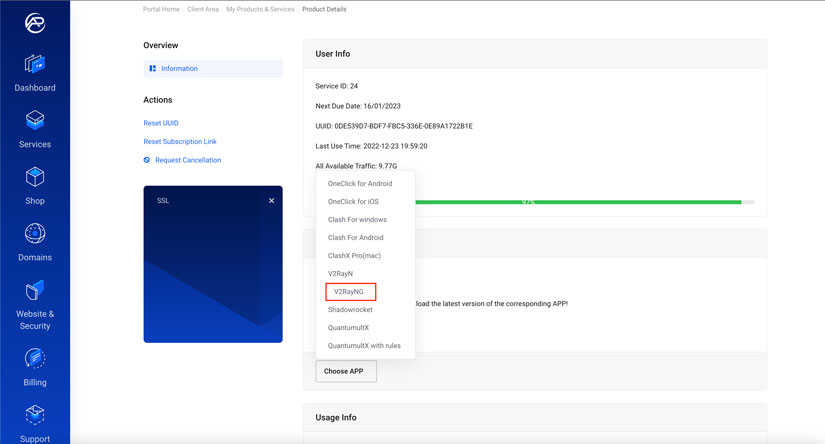
1. From Choose APP button, Select V2RayNG.
2. install the APP
-
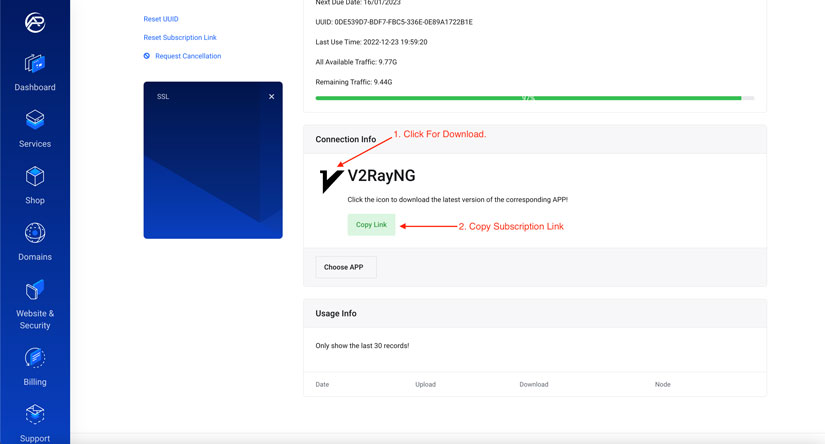
Click the icon to download the latest version of the V2RayNG APP!
- Click Copy Link Button.
3. Open the V2RayNG installed APP from your Android device.
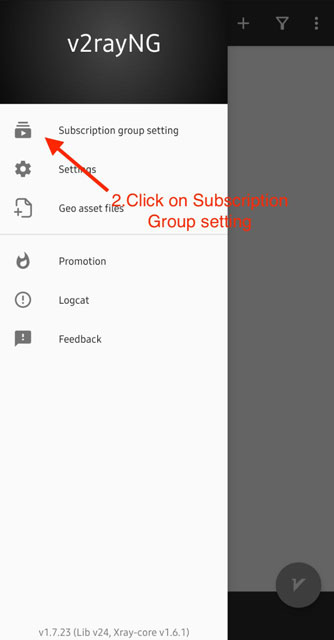
- Click on the menu icon at top of the left.
- Click on the Subscription group setting.

4. In Add Subscription:
- From the top of the left press + to Add Server.

5. In Add Subscription:
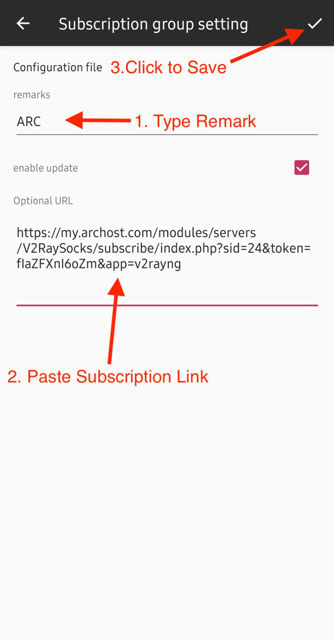
- Remarks ( Type your remark #example: ARC)
- Optional URL: Paste Coped Link from the Connection info Section (Step 2.2)
- Save Server: Click the Tick icon on the top right.
- Click to Back to The Home.
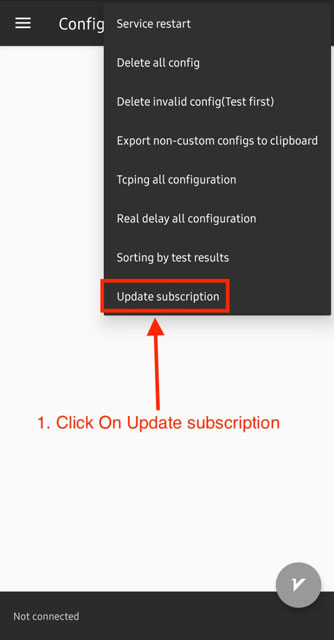
- On the top of the right, Click the menu.


6. Connect VPN
- From Menu, Click on Update subscription to add servers.
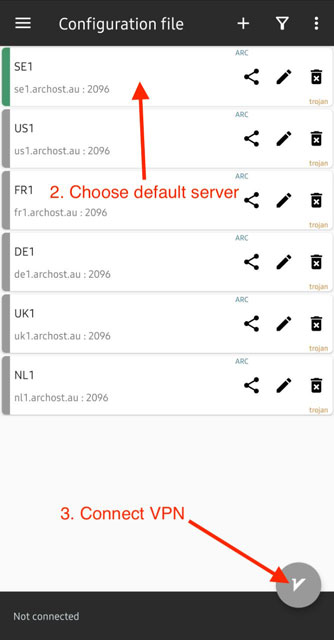
- you can choose the location from the server list. Click the server name to make it default.
- Connect to VPN.
- VPN Connected and V2Ray Logo turn to green.

7. We continuously update our server, to get the latest servers please Update your Subscription link frequently.